MagaBox serves you wholeheartedly, we will continue to optimize our products, just for giving you the best product experience.
MagaBox
MagaBox serves you wholeheartedly, we will continue to optimize our products, just for giving you the best product experience.
MagaBox


Discover the best IPTV box 2026 in this comprehensive guide. Explore essential features including 4K streaming capabilities, processor specifications, storage options, and operating system comparisons. Learn how modern IPTV technology delivers cost-effective alternatives to traditional cable with detailed analysis of streaming performance, network requirements, and long-term value. Whether you're cutting the cord or upgrading your entertainment system, find the perfect IPTV solution matching your viewing habits and budget through expert comparisons and technical insights.

Are you still paying escalating cable bills for channels you never watch? Or struggling with multiple streaming subscriptions that collectively cost more than traditional cable ever did? As we progress through 2026, the entertainment landscape continues its dramatic transformation away from conventional broadcasting toward internet-based delivery systems that offer superior flexibility, content variety, and cost efficiency.
The IPTV (Internet Protocol Television) box market has matured significantly, evolving from experimental devices with inconsistent performance into sophisticated entertainment hubs rivaling traditional cable systems in reliability while surpassing them in features and value. Modern IPTV boxes now deliver broadcast-quality streams, support 4K and HDR content, provide access to thousands of international channels, and integrate with popular streaming services—all through a single device connected to your home network.
However, this maturity has created a paradox of choice. Dozens of manufacturers offer IPTV boxes spanning wide price ranges with varying specifications, features, and capabilities. Marketing claims promise exceptional performance across the board, making objective comparison difficult. How do you identify devices that genuinely deliver reliable, high-quality streaming versus those that underperform or fail shortly after purchase?
This comprehensive guide examines the critical factors determining IPTV box quality and suitability for different use cases. We’ll explore technical specifications that actually matter for streaming performance, software considerations affecting user experience, connectivity requirements for reliable operation, and total cost of ownership across different pricing models. By understanding these elements, you can make informed decisions that deliver years of satisfying entertainment.
IPTV represents a fundamental shift in television content delivery, transmitting video through internet protocol networks rather than traditional broadcast methods. Understanding this distinction clarifies why IPTV boxes offer advantages over cable or satellite systems.
Traditional television broadcasting transmits signals to all receivers simultaneously, whether through over-the-air antennas, cable infrastructure, or satellite dishes. You receive predetermined channel lineups with content scheduled by broadcasters. This one-to-many distribution model limits flexibility—you watch what’s broadcast when it’s broadcast, with limited ability to customize channel selection or access content on-demand.
IPTV inverts this model through unicast transmission, delivering specific content streams to individual devices upon request. When you select a channel or program, the IPTV system streams that specific content to your device over your internet connection. This one-to-one delivery enables unprecedented flexibility: watch any available channel regardless of geographic location, access content on-demand rather than following broadcast schedules, pause and rewind live television, and customize channel lineups to match your preferences.
The technology relies on packet-switched networks that break video content into data packets transmitted over broadband connections. Your IPTV box receives these packets, reassembles them into video streams, decodes the compressed video, and outputs the signal to your television. This process happens in real-time for live content or on-demand for recorded programming, typically with minimal latency when network conditions are adequate.
Quality of service depends heavily on internet connection stability and bandwidth. Unlike broadcast television where signal quality remains consistent regardless of other household activities, IPTV performance directly correlates with available network resources. This dependency makes understanding network requirements essential when selecting and configuring IPTV systems.
Modern IPTV boxes integrate several critical components that collectively determine performance, features, and user experience. Understanding these elements helps evaluate specifications and identify quality devices.
Essential IPTV Box Components:
| Component | Function | Impact on Performance |
| Processor (CPU) | Executes software, manages operations | Interface speed, multitasking capability |
| Graphics Processor (GPU) | Video decoding and rendering | Streaming quality, resolution support |
| RAM | Temporary data storage, multitasking | Interface responsiveness, app performance |
| Storage | Operating system, apps, cached content | App capacity, local recording ability |
| Network Interface | Internet connectivity | Streaming stability, bandwidth utilization |
| Video Output | Connection to television | Maximum resolution, HDR support |
| Operating System | Software platform | App availability, update support, usability |
The processor serves as the device’s brain, executing software instructions and managing operations. IPTV boxes typically use ARM-based system-on-chip (SoC) designs integrating CPU, GPU, and other functions. Processor specifications directly affect interface responsiveness, app loading speeds, and the ability to handle multiple simultaneous tasks.
Graphics processing units handle video decoding and rendering, arguably the most critical function for IPTV boxes. Hardware video decoders for formats like H.264, H.265/HEVC, VP9, and AV1 enable smooth playback of compressed video streams without excessive processor load. Software decoding places greater demands on the CPU and typically cannot achieve the same performance levels as dedicated hardware decoding.
Network interfaces determine how the device connects to your internet service. Wired Gigabit Ethernet provides the most stable connection for high-bitrate streaming, while Wi-Fi offers placement flexibility at the potential cost of reliability. Dual-band Wi-Fi (2.4GHz and 5GHz) with modern standards (Wi-Fi 5/802.11ac or Wi-Fi 6/802.11ax) delivers adequate wireless performance for most streaming scenarios.
Operating systems provide the software foundation for IPTV boxes. Android TV dominates the market, offering extensive app compatibility and familiar interfaces. Linux-based systems provide leaner operation but may have more limited app ecosystems. Proprietary operating systems optimized specifically for IPTV streaming can offer superior performance but restrict flexibility.
Video quality directly impacts viewing experience, making streaming capability a primary consideration when selecting IPTV boxes. Understanding resolution standards and their requirements helps match devices to your television capabilities and network capacity.
Resolution defines the number of pixels displayed, with higher resolutions providing greater detail. Standard Definition (480p) represents the baseline, adequate for small screens but noticeably pixelated on modern large televisions. High Definition (720p and 1080p) offers significantly improved clarity suitable for most viewing. Ultra High Definition (4K/2160p) delivers exceptional detail on large screens, while 8K (4320p) remains largely experimental with minimal content availability in 2026.
Video Quality and Bandwidth Requirements:
| Resolution | Pixel Count | Recommended Bitrate | Minimum Bandwidth | Best Use Case |
| 480p SD | 720 × 480 | 3-5 Mbps | 5 Mbps | Small screens, data conservation |
| 720p HD | 1280 × 720 | 5-8 Mbps | 10 Mbps | Moderate screens, basic HD |
| 1080p FHD | 1920 × 1080 | 8-15 Mbps | 20 Mbps | Most televisions, standard viewing |
| 4K UHD | 3840 × 2160 | 25-50 Mbps | 50 Mbps | Large screens, premium quality |
| 4K HDR | 3840 × 2160 | 40-80 Mbps | 80 Mbps | Premium viewing experience |
Frame rate affects motion smoothness, particularly important for sports and action content. Standard broadcast television typically uses 30 frames per second (fps), adequate for most content types. Higher frame rates like 60fps capture fast motion more smoothly, benefiting sports, gaming, and action movies. Some IPTV boxes support variable frame rate output, automatically adjusting to match content specifications.
High Dynamic Range (HDR) expands the range between the darkest and brightest image parts, creating more realistic visuals with greater depth. HDR10 represents the baseline standard supported by most modern displays and IPTV boxes. Dolby Vision offers more advanced capabilities with dynamic metadata that optimizes each scene individually. HDR Vivid and HDR10+ provide alternatives with varying industry adoption. IPTV box support for these formats must match your television’s capabilities to provide benefits.
Codec support determines which video compression formats the device can decode. H.264/AVC remains widely used for HD content, offering good compression with broad compatibility. H.265/HEVC provides approximately 40-50% better compression efficiency, enabling higher quality streams at lower bandwidth or superior quality at the same bandwidth. VP9 (primarily used by YouTube) and AV1 (emerging standard) offer compression improvements but require specific hardware or software decoder support.
Processing capabilities determine whether an IPTV box delivers smooth, responsive operation or suffers from lag, stuttering, and frustration. Understanding processor specifications helps identify devices meeting performance expectations.
Processor architecture and core count establish baseline capabilities. Modern IPTV boxes typically use quad-core (4 cores), hexa-core (6 cores), or octa-core (8 cores) ARM-based processors. More cores don’t automatically mean better performance—clock speed, architecture efficiency, and software optimization matter equally. A well-designed quad-core processor at 2.0 GHz may outperform a poorly optimized octa-core at 1.5 GHz.
Clock speed indicates how many operations per second the processor can execute, measured in gigahertz (GHz). Higher clock speeds enable faster operation, but efficiency varies between processor architectures. Current mid-range IPTV boxes typically feature processors running between 1.5-2.0 GHz, while premium models may reach 2.5 GHz or higher.
GPU capabilities specifically affect video playback quality and responsiveness. Integrated GPUs from Mali, PowerVR, or other manufacturers provide hardware acceleration for video decoding. Verify the GPU supports hardware decoding for formats you’ll actually use—particularly H.265/HEVC for efficient 4K streaming and VP9 if you consume significant YouTube content.
RAM capacity determines how smoothly the device handles multitasking and interface navigation. Minimum acceptable RAM for modern IPTV boxes has increased to 2GB, with 4GB providing noticeably better performance. If you frequently switch between apps, use picture-in-picture features, or maintain multiple background processes, higher RAM capacity prevents slowdowns and interface lag.
Benchmark performance provides objective comparison points, though real-world usage may differ from synthetic tests. Look for reviews conducting actual streaming tests rather than relying solely on specification sheets. A device that performs well in benchmarks but stumbles during actual 4K streaming fails to meet practical requirements.

Storage serves multiple functions in IPTV boxes, housing the operating system, installed applications, cached streaming content, and potentially recorded programs. Understanding storage needs helps select appropriately equipped devices.
Internal storage typically ranges from 8GB to 128GB across different IPTV box models. Operating systems consume 2-4GB, with Android-based systems generally requiring more space than Linux alternatives. Installed apps add additional requirements—a typical streaming app requires 50-200MB, though some larger applications may exceed 500MB.
For basic IPTV streaming without extensive app installation or local recording, 16GB internal storage suffices. This capacity accommodates the operating system, a reasonable selection of streaming apps, and adequate cache space for smooth operation. Power users installing many applications, storing offline content, or using DVR features benefit from 32GB or larger storage.
Storage expandability through microSD cards or USB drives adds flexibility for users whose needs exceed internal capacity. Devices supporting external storage allow unlimited expansion for recorded content, local media libraries, or additional applications. However, external storage typically operates slower than internal memory, potentially affecting app performance or playback of locally stored high-bitrate content.
Storage type affects access speeds and device responsiveness. eMMC storage, common in budget and mid-range IPTV boxes, provides adequate performance for most uses. Premium devices may incorporate faster UFS storage, delivering quicker app loading and more responsive interfaces. For typical IPTV streaming, the performance difference between storage types matters less than for devices running demanding applications.
Network connectivity forms the foundation of IPTV functionality, making connection options and performance critical selection criteria. Understanding different connectivity methods helps optimize your setup for reliable streaming.
Wired Ethernet provides the most stable and reliable connection for IPTV streaming. Gigabit Ethernet (1000 Mbps) offers bandwidth far exceeding current streaming needs, ensuring connection capacity never limits performance. Even Fast Ethernet (100 Mbps) suffices for most streaming scenarios, including 4K content. Wired connections eliminate Wi-Fi variables—signal interference, distance limitations, and shared bandwidth—that can cause streaming issues.
Wi-Fi connectivity offers installation flexibility, enabling IPTV box placement anywhere within router range without cable routing. Modern IPTV boxes should include dual-band Wi-Fi supporting both 2.4 GHz and 5 GHz frequencies. The 2.4 GHz band penetrates walls better and provides longer range but offers lower maximum speeds and experiences more interference from household devices. The 5 GHz band delivers faster speeds with less interference but has shorter range and reduced wall penetration.
Network Connection Comparison:
| Connection Type | Maximum Speed | Latency | Reliability | Range | Best Scenario |
| Gigabit Ethernet | 1000 Mbps | <1ms | Excellent | Limited by cable | 4K/HDR streaming, zero buffering |
| Fast Ethernet | 100 Mbps | 1-2ms | Excellent | Limited by cable | HD/4K streaming, very reliable |
| Wi-Fi 6 (5GHz) | 600-1200 Mbps | 10-20ms | Very Good | 30-50 feet | 4K streaming, modern homes |
| Wi-Fi 5 (5GHz) | 300-600 Mbps | 15-30ms | Good | 30-50 feet | HD/4K streaming, acceptable |
| Wi-Fi 4 (2.4GHz) | 50-150 Mbps | 30-50ms | Fair | 100-150 feet | HD streaming, older homes |
Wi-Fi standards determine maximum theoretical speeds and performance characteristics. Wi-Fi 6 (802.11ax) represents the current generation, offering improved speed, capacity, and efficiency compared to Wi-Fi 5 (802.11ac). However, your router must also support Wi-Fi 6 to realize these benefits. Wi-Fi 5 provides adequate performance for 4K streaming and remains the practical standard for most households in 2026.
Bluetooth connectivity, while not used for streaming, enables wireless connections for peripherals like keyboards, game controllers, or audio devices. Bluetooth 5.0 or newer provides improved range and speed compared to older versions. This feature adds convenience for users wanting wireless control options beyond the included infrared remote.
Network performance under load matters for households with multiple internet users. An IPTV box with excellent specifications still buffers if your network connection becomes saturated by other devices. Quality of Service (QoS) settings on your router can prioritize streaming traffic, ensuring consistent IPTV performance even when other household members use bandwidth.
Output specifications determine the maximum quality your IPTV box can deliver to your television. Matching these capabilities to your display ensures you’re not paying for features you can’t use or buying devices that can’t utilize your TV’s capabilities.
HDMI output serves as the standard connection method for modern IPTV boxes. HDMI 2.0 supports 4K resolution at 60fps and HDR, meeting requirements for most televisions in use. HDMI 2.1 adds support for higher refresh rates (4K at 120fps), enhanced audio return channel (eARC), and variable refresh rate (VRR), though few IPTV boxes or content sources currently utilize these advanced features.
Maximum resolution support should match or exceed your television’s native resolution. For 4K televisions, ensure the IPTV box supports 4K output. Some budget devices claim 4K support but only through upscaling from lower native resolutions, resulting in inferior image quality compared to true 4K decoding. Verify hardware decoding capability for 4K content, not just output resolution.
HDR support enhances picture quality on compatible displays through expanded contrast range and color depth. HDR10 represents the baseline standard broadly supported across devices and content. Dolby Vision requires specific licensing and hardware support but offers superior performance through dynamic scene-by-scene optimization. If your television supports Dolby Vision and you consume content offering it, Dolby Vision support in your IPTV box enhances viewing experience.
Audio output capabilities affect sound quality for users with surround sound systems or soundbars. Basic stereo output suffices for television speakers, while Dolby Digital and DTS support enables surround sound through external audio systems. Premium audio formats like Dolby Atmos and DTS:X provide immersive audio experiences on compatible systems, though IPTV content using these formats remains relatively limited compared to streaming services.
Operating system choice significantly impacts user experience, app availability, and long-term device support. Understanding different OS approaches helps select platforms aligned with your priorities.
Android TV, developed by Google specifically for television devices, dominates the IPTV box market. The platform offers extensive app compatibility through Google Play Store, familiar interface conventions for Android smartphone users, and broad manufacturer support ensuring regular updates and new features. Built-in Chromecast functionality enables casting content from mobile devices, while Google Assistant provides voice control capabilities.
Android TV’s strengths include superior app ecosystem with official versions of major streaming services, regular security updates through Google’s support, and consistent interface across different manufacturer devices. However, the platform demands more system resources than alternatives, potentially affecting performance on lower-specification devices. Some manufacturers heavily customize Android TV, creating interface inconsistencies and potentially delaying updates.
Linux-based systems offer leaner operation with lower resource requirements, enabling better performance on modest hardware. Open-source nature allows extensive customization and community-driven development. Popular implementations include LibreELEC, CoreELEC, and various manufacturer-specific builds optimized for IPTV streaming.
Linux systems excel at efficient operation and flexibility but typically offer more limited app ecosystems compared to Android TV. Official streaming service apps may be unavailable, requiring users to utilize web-based interfaces or alternative access methods. The technical knowledge required for configuration and troubleshooting exceeds Android TV’s user-friendly approach, making Linux systems better suited for technically proficient users.
Operating System Comparison:
| Feature | Android TV | Linux-Based | Proprietary OS |
| App Availability | Extensive (Google Play) | Limited (manual install) | Varies by manufacturer |
| User-Friendliness | High (familiar interface) | Medium (technical knowledge helps) | Varies widely |
| Performance | Moderate (resource intensive) | High (lean operation) | Typically optimized |
| Customization | Moderate (limited by Google) | High (open source) | Low (manufacturer controlled) |
| Update Support | Regular (Google + manufacturer) | Community-driven | Manufacturer dependent |
| Learning Curve | Low (Android familiarity) | Medium-High | Low-Medium |
Proprietary operating systems optimized specifically for IPTV streaming represent a third category. Manufacturers develop these systems focusing exclusively on streaming functionality, potentially achieving superior performance and simplicity compared to general-purpose platforms. However, proprietary systems limit flexibility, restrict app installation to manufacturer-approved options, and depend entirely on manufacturer support for updates and longevity.
Interface design determines how easily you access content and adjust settings, directly affecting daily user experience. Evaluating interface quality helps identify IPTV boxes that deliver satisfying long-term usability.
Home screen layout establishes your starting point for content discovery. Well-designed home screens provide quick access to frequently used apps, recently watched content, and content recommendations without overwhelming users with excessive information. Customizable home screens that allow app arrangement and widget configuration adapt to individual preferences.
Electronic Program Guide (EPG) functionality proves essential for live TV viewing. Quality EPG implementations display channel listings with program information, allow filtering by genre or channel type, and enable quick navigation to desired content. Some advanced EPG systems integrate with content databases to provide detailed program information, cast details, and related content suggestions.
Search functionality across content sources saves time compared to manually browsing multiple apps. Universal search that queries multiple streaming services and IPTV channels simultaneously surfaces relevant content regardless of source. Voice search through microphone-enabled remotes or smartphone apps provides convenient hands-free operation.
Settings organization affects how easily you adjust configuration to match preferences. Clearly organized settings menus with helpful descriptions enable users to customize audio/video output, network connections, and application preferences without confusion. Overly complex settings menus with poor organization frustrate users and may result in suboptimal configuration.
Remote control design impacts daily interaction comfort. Basic remotes with essential navigation controls (directional pad, select, back, home) suffice for simple operation. Advanced remotes add shortcuts for streaming services, voice search capabilities, and backlit buttons for dark viewing environments. Some IPTV boxes offer smartphone app alternatives to physical remotes, providing larger text displays and easier text entry.
Application availability determines which streaming services, games, and utilities you can access through your IPTV box. Understanding app ecosystem differences helps ensure your preferred services work properly.
Google Play Store access on Android TV devices provides the largest official app selection. Major streaming services like Netflix, YouTube, Amazon Prime Video, Disney+, and Hulu offer official Android TV apps with optimized interfaces for television viewing. Thousands of additional apps spanning categories from games to utilities to niche streaming services expand functionality beyond basic IPTV.
However, not all Android apps support Android TV—smartphone apps designed for touchscreen input may not function properly with remote control navigation. The Android TV version of Play Store displays only compatible apps, but some users sideload smartphone apps that work poorly on television interfaces.
Alternative app stores or direct APK installation enables access to applications not available through official channels. This flexibility benefits users seeking specific regional streaming services or specialized applications. However, non-official apps may have security implications, lack proper television optimization, or violate service terms of use.
IPTV-specific applications like TiviMate, Perfect Player, or IPTV Smarters provide sophisticated interfaces for IPTV service access. These apps support M3U playlists, Xtream Codes API connections, and various other IPTV service integration methods. Feature sets include EPG support, catch-up TV, recording capabilities, and multi-screen viewing. Choosing IPTV boxes that support your preferred IPTV apps ensures optimal functionality.
Streaming service compatibility varies between devices and regions. Some streaming services implement device restrictions or regional availability limitations. Before purchasing an IPTV box, verify that your essential streaming services offer compatible apps for that device’s operating system and region.

IPTV box prices span from under $50 to over $300, with significant capability differences across price tiers. Understanding what each price range typically delivers helps identify appropriate budget allocation.
Budget IPTV boxes ($40-$80) provide basic functionality adequate for HD streaming and casual viewing. These devices typically feature quad-core processors at lower clock speeds (1.2-1.5 GHz), 1-2GB RAM, and 8-16GB storage. They handle 1080p streaming reliably but may struggle with 4K content or complex interfaces. Budget boxes suit users with modest streaming needs, older HD televisions, or those wanting to experiment with IPTV without significant investment.
Mid-range devices ($80-$150) deliver balanced performance suitable for most users. Specifications typically include more powerful quad-core or hexa-core processors (1.5-2.0 GHz), 2-4GB RAM, 16-32GB storage, and reliable 4K streaming support. These boxes handle demanding applications smoothly, support HDR content, and provide responsive interfaces. Mid-range represents the best value proposition for users wanting reliable 4K streaming without premium pricing.
Premium IPTV boxes ($150-$300+) target enthusiasts seeking maximum performance and features. High-end specifications include powerful hexa-core or octa-core processors (2.0+ GHz), 4-6GB RAM, 64-128GB storage, and support for advanced features like Dolby Vision, high frame rate output, and extensive connectivity options. Premium devices justify their cost through superior build quality, better remote controls, longer manufacturer support, and capabilities supporting future content standards.
Price-to-Performance Tiers:
| Price Range | Typical Specs | Streaming Capability | Best For |
| Budget ($40-$80) | Quad-core 1.2GHz, 1-2GB RAM, 8-16GB storage | HD reliable, 4K limited | Casual viewers, HD TVs, budget-conscious |
| Mid-Range ($80-$150) | Quad-core 1.8GHz, 2-4GB RAM, 16-32GB storage | 4K smooth, HDR support | Most users, 4K TVs, balanced value |
| Premium ($150-$250) | Hexa-core 2.0GHz, 4-6GB RAM, 64GB+ storage | 4K/HDR excellent, future-proof | Enthusiasts, premium TVs, best quality |
| Ultra-Premium ($250+) | Octa-core 2.5GHz, 6-8GB RAM, 128GB storage | All formats, advanced features | Tech enthusiasts, complete ecosystem |
Diminishing returns affect value at higher price points. The performance difference between $80 and $150 devices typically exceeds the difference between $150 and $300 devices. Unless you specifically need premium features or have cutting-edge display technology, mid-range boxes deliver excellent value.
Beyond hardware costs, ongoing service fees significantly affect total ownership expense. Understanding different pricing models helps identify the most economical long-term approach.
Traditional IPTV services operate on monthly or annual subscription models, typically charging $15-$80 monthly depending on channel selection and features. These recurring costs accumulate substantially over time—a $30 monthly subscription totals $360 annually, $1,800 over five years, and $3,600 over a decade.
Subscription model benefits include lower initial investment, flexibility to cancel if circumstances change, and ongoing service improvements as providers add channels and features. However, prices frequently increase over time, and the perpetual payment obligation creates long-term expense without asset ownership.
One-time purchase models eliminate recurring fees through higher upfront costs that include lifetime service access. Rather than spreading revenue across years of monthly payments, manufacturers receive full payment at purchase while providing ongoing service access. For users planning long-term use, this model creates substantial savings compared to subscription services.
Calculate break-even points when comparing models. A $200 device with lifetime access versus $30 monthly subscription breaks even after approximately seven months. Beyond that point, the lifetime access model provides pure savings that grow larger with continued use. Users confident they’ll maintain the device for multiple years find lifetime access economically advantageous.
Consider usage intensity when evaluating pricing models. Light users streaming occasionally might prefer pay-as-you-go or low-commitment subscriptions. Heavy users consuming content daily benefit more from unlimited lifetime access models where marginal cost per viewing approaches zero.
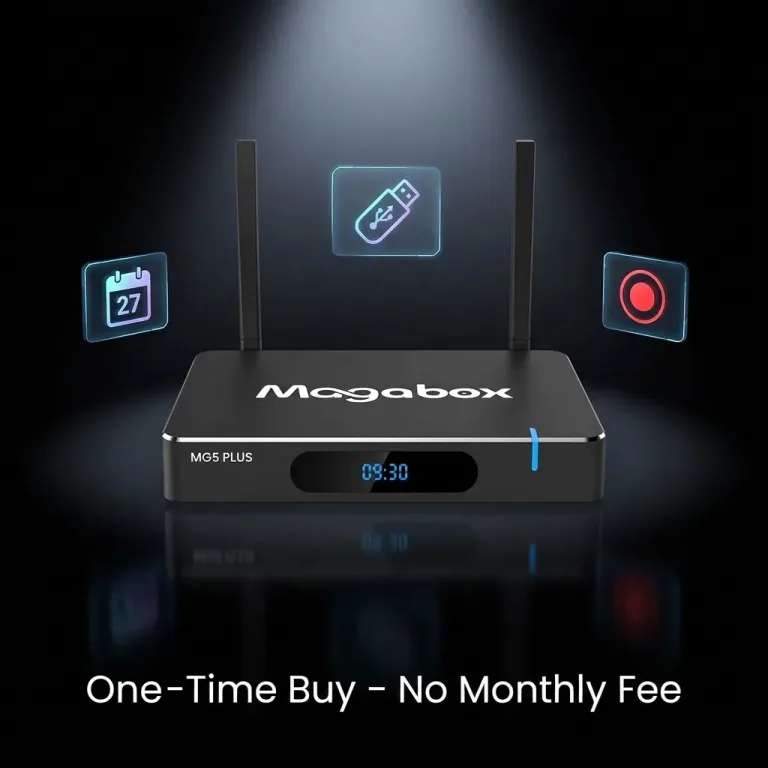
Magabox exemplifies the lifetime access approach, offering comprehensive IPTV functionality through one-time purchase without monthly fees. For users accustomed to perpetual cable or streaming subscription costs, this model provides compelling long-term value. The device supports diverse content sources and includes OEM customization options for businesses requiring branded solutions at scale.
Complete financial analysis extends beyond device purchase price and service fees to encompass all expenses associated with IPTV operation. Understanding these factors provides accurate cost comparison against alternative entertainment options.
Internet service requirements represent the most significant ongoing cost for IPTV users. Reliable streaming demands adequate bandwidth—typically 50-100 Mbps for 4K content and multiple simultaneous streams. If your current internet plan provides insufficient speed, upgrading to higher-tier service adds monthly costs. However, faster internet benefits all household devices, not just IPTV, making it partially indirect rather than pure IPTV expense.
Electrical consumption varies between devices but rarely constitutes substantial cost. Typical IPTV boxes consume 5-15 watts during active streaming, translating to approximately $5-20 annually in electricity at average residential rates. Standby power consumption adds minimal additional cost. Energy efficiency differences between models produce negligible financial impact over device lifetime.
Peripheral expenses include HDMI cables for television connection, Ethernet cables for wired networking, external storage for DVR functionality, and potentially universal remotes for enhanced control. These accessories involve modest one-time costs typically totaling under $50 for comprehensive setup.
Replacement and upgrade cycles affect long-term costs. Budget devices may require replacement within 2-3 years due to hardware failure or obsolescence, while quality mid-range and premium devices typically function reliably for 4-6+ years. Amortizing purchase price over realistic device lifetime provides more accurate cost comparison than initial price alone.
Technical support and troubleshooting create hidden costs in terms of time and potential service calls. User-friendly devices with reliable operation minimize support needs, while complicated or problematic systems may require professional assistance. This factor proves difficult to quantify but significantly affects overall ownership satisfaction.
Proper initial setup ensures optimal performance and prevents common issues that diminish streaming quality. Following systematic configuration procedures establishes solid foundation for reliable operation.
Physical connection begins with selecting optimal placement for your IPTV box. Ensure adequate ventilation around the device—avoid enclosing it in cabinets without airflow or stacking other heat-generating devices on top. Position the device within easy reach of your television’s HDMI input and power outlet to avoid cable strain.
Network connection choice significantly affects streaming reliability. When possible, use wired Ethernet connection for maximum stability. If Wi-Fi represents the only practical option, position the IPTV box to minimize obstacles between it and your router. Select the 5GHz Wi-Fi band for faster speeds when the device sits within reasonable router range, defaulting to 2.4GHz only if signal strength proves insufficient.
Initial power-on and setup wizard guides you through essential configuration steps. Select your preferred language, timezone, and regional settings accurately to ensure proper operation of time-dependent features like EPG and scheduled recordings. Connect to your network when prompted, entering Wi-Fi passwords carefully if using wireless connection.
System updates should complete before proceeding to content access. Manufacturers frequently release firmware updates addressing bugs, improving performance, and adding features. Completing updates during initial setup ensures you operate with current software rather than discovering issues later.
Account configuration for Google services (on Android TV devices) enables app downloads and personalized features. Sign in with your Google account or create a new account if necessary. Note that some streaming services recognize when you’re using VPN or DNS services, potentially blocking access.
Display and audio settings should match your television’s capabilities. Configure resolution output to match your TV’s native resolution—typically 4K for modern televisions, 1080p for older HD displays. Enable HDR output if your television supports it and you plan to watch HDR content. Select appropriate audio output format based on whether you use TV speakers (stereo), soundbar (Dolby Digital), or surround system (DTS or Dolby Atmos if supported).
Network configuration directly impacts streaming quality, making optimization essential for buffer-free viewing. Implementing these adjustments creates reliable foundation for consistent performance.
Router placement affects Wi-Fi signal strength throughout your home. Position routers centrally and elevated for optimal coverage. Avoid placing routers in enclosed cabinets, near metal objects, or behind large appliances that block signals. If your IPTV box location receives weak Wi-Fi signal, consider router relocation or Wi-Fi range extender installation.
Channel selection on your router reduces interference from neighboring networks. Use Wi-Fi analyzer apps to identify less congested channels and manually configure your router to use them. The 5GHz band offers more non-overlapping channels than 2.4GHz, reducing congestion in dense residential areas.
Quality of Service (QoS) settings on your router prioritize streaming traffic over less time-sensitive data transfers. Configure QoS to prioritize your IPTV box’s MAC address or assign high priority to video streaming traffic. This ensures consistent streaming performance even when other household members download files or game online.
DNS configuration can improve connection reliability and potentially access geo-restricted content. Consider using fast public DNS services like Google DNS (8.8.8.8, 8.8.4.4) or Cloudflare DNS (1.1.1.1) rather than your ISP’s default DNS servers. Smart DNS services offer alternative approaches for accessing region-locked content.
Bandwidth testing verifies your internet connection meets streaming requirements. Use speed test tools to confirm download speeds exceed minimum thresholds—at least 25 Mbps for 4K streaming, 15 Mbps for HD content. Run tests during evening hours when network usage peaks to identify potential congestion issues.
Wired connection migration provides ultimate reliability upgrade. If persistent Wi-Fi issues affect streaming, invest in Ethernet cable installation between your router and IPTV box. Powerline adapters offer alternative wired connection using electrical wiring when traditional Ethernet proves impractical.
Adding content sources and configuring services enables access to desired programming. Understanding configuration methods helps establish comprehensive entertainment options.
IPTV service integration typically requires entering service credentials or playlist URLs. M3U playlist URLs provide simple access—enter the URL in your IPTV player app and the device loads available channels. Xtream Codes API connections require server URL, username, and password provided by your IPTV service provider.
Streaming service apps require individual installation and authentication. Access Google Play Store (Android TV) or your platform’s app store, search for desired services (Netflix, YouTube, etc.), and install apps. Launch each app and sign in with your account credentials. Some services limit simultaneous streams or device registrations, potentially requiring deactivation of unused devices.
EPG (Electronic Program Guide) configuration enhances channel navigation by displaying program information. Many IPTV services provide EPG URLs—enter these in your IPTV player’s settings to enable guide functionality. EPG updates typically occur automatically at configured intervals, maintaining current program information.
VPN or Smart DNS configuration enables access to geo-restricted content. Install VPN apps from your device’s app store and configure with your VPN service credentials. Smart DNS services typically require configuration through network settings rather than dedicated apps. Note that some streaming services detect and block VPN usage.
Parental controls protect children from inappropriate content. Configure PIN-protected content restrictions based on age ratings. Some IPTV apps and streaming services offer time-based access restrictions limiting viewing during specified hours.
For users seeking comprehensive IPTV capability without recurring subscription fees, Magabox offers practical solution combining capable hardware with lifetime content access. This approach eliminates the perpetual monthly costs that make traditional IPTV services progressively expensive over years of use.
The Magabox platform delivers extensive international channel selection suitable for diverse viewing preferences. Whether accessing news from multiple countries, following sports leagues globally, or exploring international entertainment, the content variety addresses varied interests through single device. The lifetime access model means you pay once and watch indefinitely, avoiding subscription renewals or price increases that plague traditional services.
Technical specifications position Magabox competitively within the mid-range performance category. Support for 4K resolution ensures compatibility with modern televisions, while hardware video decoding handles high-bitrate streams efficiently to minimize buffering. Dual-band Wi-Fi and Ethernet connectivity provide flexible network connection options suiting different home configurations.
The device’s user interface emphasizes simplicity and accessibility for non-technical users. Setup wizards guide initial configuration, while organized menus provide clear navigation to desired content. Multi-language support accommodates international users who prefer native language interfaces.
Beyond consumer applications, Magabox supports OEM customization for businesses requiring branded IPTV solutions. Hotels, corporate environments, and hospitality businesses can deploy customized versions with specialized interfaces, pre-configured channel selections, and branding integration. This flexibility enables businesses to provide guests or employees with professional entertainment experiences aligned with corporate identity.
The elimination of monthly fees represents Magabox’s most significant value proposition for long-term users. Calculate typical annual IPTV subscription costs—services charging $20-50 monthly accumulate $240-600 annually. Magabox achieves cost recovery within months for regular users while providing years of subsequent usage without additional fees. For budget-conscious consumers tired of perpetually increasing entertainment costs, this model offers refreshing alternative.
Choosing the best IPTV box for your needs requires balancing multiple factors—technical capabilities, content access, user experience, and long-term costs. The diverse options available in 2026 provide solutions for virtually every use case and budget, but identifying your optimal choice demands understanding priorities.
What matters most for your viewing habits? Casual viewers primarily watching HD content on older televisions find excellent value in budget-friendly devices offering reliable core functionality. Enthusiasts with cutting-edge displays demand premium specifications supporting 4K HDR and advanced audio formats. Most users fall between these extremes, benefiting from mid-range devices delivering balanced performance without excessive costs.
Content access requirements vary significantly between users. Some prioritize specific streaming services requiring particular app support. Others focus on international channels demanding comprehensive IPTV service integration. Still others want comprehensive solutions supporting diverse content sources. Match device capabilities to your actual content preferences rather than hypothetical maximum functionality.
User experience expectations affect satisfaction beyond technical specifications. Non-technical users benefit from simplified interfaces with clear navigation and minimal configuration requirements. Tech-savvy users might prefer customizable platforms offering extensive control and modification options. Consider who will operate the device—if family members with varying technical proficiency share the system, prioritize accessibility over advanced features.
Long-term costs deserve careful evaluation beyond initial purchase price. Monthly subscription services appear economical initially but accumulate substantial expense over years of use. Lifetime access models require higher upfront investment but eliminate recurring costs, providing superior long-term value for users planning extended device use. Calculate total ownership costs across realistic usage periods to identify true value.
The IPTV landscape continues evolving with improving technology, increasing content availability, and innovative business models. Selecting devices supporting current standards while remaining flexible for future requirements provides better long-term value than cutting-edge specifications that may prove unnecessary for your actual usage.
Ultimately, the best IPTV box for 2026 depends on your specific requirements, viewing patterns, budget constraints, and technical comfort level. By understanding the technical fundamentals affecting performance, evaluating features against your actual needs, and accurately assessing total costs, you can make informed decisions delivering years of satisfying entertainment.
What entertainment experiences await with your new IPTV setup? The technology exists to access virtually unlimited global content through single devices costing less than a year of traditional cable service. Your choice of IPTV box determines whether you’ll enjoy those moments with reliable performance and user-friendly operation, or struggle with technical limitations and frustrating interfaces.