MagaBox serves you wholeheartedly, we will continue to optimize our products, just for giving you the best product experience.
MagaBox
MagaBox serves you wholeheartedly, we will continue to optimize our products, just for giving you the best product experience.
MagaBox


Ready to transform your TV into a vibrant portal of global entertainment? Internet Protocol Television - IPTV is electrifying the way we watch live channels, movies, and international shows, all streamed effortlessly over your internet connection IPTV streaming 2025.

Ready to transform your TV into a vibrant portal of global entertainment? Internet Protocol Television – IPTV is electrifying the way we watch live channels, movies, and international shows, all streamed effortlessly over your internet connection IPTV streaming 2025. Whether you’re a cord-cutter craving flexibility or a curious viewer seeking a dazzling array of content, IPTV offers a radiant alternative to traditional cable. The big question: how do you get started? This ultimate guide walks you through activating IPTV on your TV, starting your streaming adventure, and ensuring it’s all legal, empowering you to unlock a seamless entertainment experience in 2025. Let’s dive in and make your screen come alive!
IPTV technology is completely legal in the US, acting as a dynamic platform to deliver TV content via the internet. Verified services like YouTube TV, Hulu + Live TV, or Sling TV operate under the Copyright Act of 1976, securing licenses for live channels, sports, and on-demand content, ensuring compliance and fair compensation for creators. However, legality depends on the source. Unverified IPTV services offering pirated streams without licenses can violate US copyright laws, potentially leading to service disruptions or legal action against providers.
While individual users are rarely targeted for using unverified IPTV Streaming , risks like data breaches or unreliable streams persist with unlicensed providers. To keep your experience above board, stick to verified services or free-to-air (FTA) channels, accessible via M3U playlists on platforms like GitHub. Research providers on trusted sites like TROYPOINT or IPTV Insider to confirm their legitimacy. Choosing legal sources ensures a vibrant, worry-free streaming journey that respects US regulations.

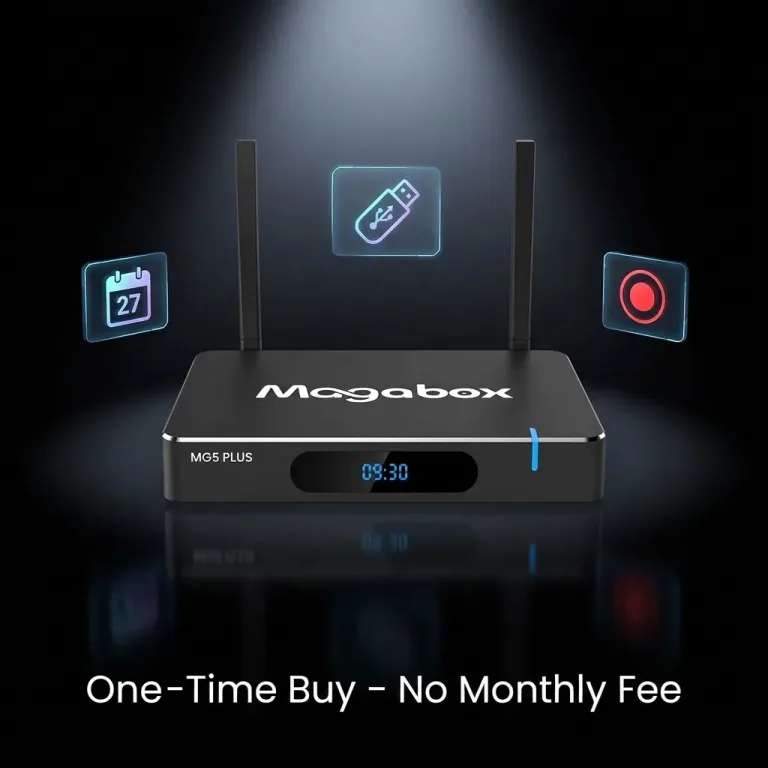
One of the easiest ways to activate IPTV is with a dedicated device like the Magabox, designed in the USA, offering entertainment freedom with no monthly fees. Connect the box to your TV via HDMI, plug it into power, and link it to Wi-Fi or Ethernet (15 Mbps+ recommended for HD, 25 Mbps+ for 4K). Follow the on-screen setup to install apps like IPTV Smarters Pro or TiviMate, or use pre-configured services providing access to over 2,000 channels and 50,000+ titles in 4K/6K Ultra HD. Visit Magabox Support for step-by-step guides to activate your device in minutes, perfect for a plug-and-play experience.
If you have a smart TV (e.g., Samsung, LG, or Google TV), you can activate IPTV without extra hardware. Download apps like IPTV Smarters Pro or TiviMate from your TV’s app store, then log in or load an M3U playlist from a verified provider or FTA source. Configure the app with your playlist URL or login credentials, and you’re ready to stream live TV or on-demand content. Ensure a stable internet connection to avoid buffering. This method is ideal for tech-savvy users with modern TVs, offering a sleek, direct activation process.

Starting your IPTV Streaming journey begins with selecting a service that matches your needs. Free options include FTA channels, accessible via M3U playlists from trusted platforms like GitHub, offering local and international content without cost. Paid services like FuboTV or Philo ($20–$80/month) provide licensed channels, premium sports, and movies with reliable quality. Devices like the Magabox come pre-loaded with free services or support apps for custom playlists. Research providers on forums like IPTV Insider to ensure reliability and legality, aligning your choice with your budget and content preferences.
Once you’ve chosen a service, configure your setup for seamless streaming. For IPTV Streaming boxes, connect to your TV and internet, then install apps or load playlists as guided by the provider. For smart TVs or casting devices (e.g., Chromecast, Roku), download an IPTV app, input your playlist or login details, and organize channels via an Electronic Program Guide (EPG). A robust internet connection (15 Mbps+ for HD) is crucial, preferably via Ethernet or dual-band Wi-Fi. Use a Virtual Private Network (VPN) like NordVPN to enhance privacy and unlock geo-restricted content legally. Test your setup with a short stream to ensure smooth playback, and you’re ready to dive into IPTV’s radiant content universe.

IPTV offers a dazzling array of channels, from local US broadcasts to international sports, news, and entertainment. Paid services like YouTube TV or Sling TV include premium networks like ESPN, CNN, or HBO, alongside niche channels for movies or kids’ programming. Free IPTV, via FTA playlists from platforms like GitHub, provides access to public broadcasts, such as PBS, BBC, or regional channels from Europe and Asia. Devices like the Magabox deliver over 2,000 channels, covering everything from live sports to global dramas, tailored to your preferences.
With IPTV, you’re in control of your channel lineup. Apps like TiviMate or IPTV Smarters Pro let you organize M3U playlists, grouping favorites or prioritizing genres like sports or movies. Paid services offer curated packages, while free playlists allow manual additions from legal sources. A VPN can unlock geo-restricted channels, expanding your options legally. Check provider channel lists on sites like TROYPOINT to ensure your desired content is available, creating a personalized, radiant viewing experience.

In 2025, YouTube TV and FuboTV lead as the most popular IPTV Streaming services, thanks to their robust channel lineups, 4K streaming, and cloud DVR features. YouTube TV ($72.99/month) offers 100+ channels, including local networks and sports, while FuboTV ($79.99/month) excels for sports fans with extensive live coverage. For free IPTV, FTA playlists and devices like the Magabox, offering no monthly fees, gain traction for their affordability and access to over 2,000 channels. Popularity metrics from forums like IPTV Insider highlight these services for reliability and user satisfaction.
YouTube TV and FuboTV stand out for their licensed content, anti-buffering tech, and seamless multi-device support. Free options like Magabox appeal to budget-conscious users with entertainment freedom and pre-configured setups. Their popularity stems from balancing quality, variety, and ease of use, though free services require careful source vetting to avoid legal risks. User reviews and consistent updates keep these platforms at the forefront of IPTV in 2025.
IPTV can be entirely free through FTA channels, accessible via M3U playlists from trusted platforms like GitHub or community forums. Devices like the Magabox, designed in the USA, provide access to free services with a one-time purchase, eliminating recurring costs. Apps like IPTV Smarters Pro or TiviMate support free playlists, offering local and international channels without subscription fees, though quality may vary.
Paid IPTV Streaming services, like Philo ($25/month) or Hulu + Live TV ($76.99/month), deliver premium features: 4K/6K streams, cloud DVR, and licensed channels like ESPN or Disney+. These services ensure reliability, robust support, and consistent quality, ideal for viewers prioritizing polish over cost. While free IPTV saves money, paid options offer a curated, hassle-free experience, making the choice a balance between budget and performance.

For Amazon Firestick users in 2025, TiviMate and IPTV Smarters Pro are top choices. TiviMate offers a premium interface with customizable EPGs and catch-up support, ideal for managing large playlists. IPTV Smarters Pro is user-friendly, supporting M3U playlists and multi-screen viewing, perfect for beginners. Both are available on the Amazon Appstore, with free versions and optional premium upgrades for advanced features.
To maximize Firestick performance, ensure a 15 Mbps+ internet connection for HD or 25 Mbps+ for 4K. Clear your Firestick’s cache via settings to prevent lag, and use a VPN like ExpressVPN to bypass throttling and unlock geo-restricted content. Sideloading apps via Downloader may access additional IPTV Streaming tools, but stick to verified sources. Check user reviews on TROYPOINT to confirm app reliability, ensuring a smooth, vibrant Firestick streaming experience.
Catch-up TV on IPTV lets you watch programs aired hours or days ago, blending live TV with on-demand flexibility. Paid services like FuboTV include built-in catch-up or cloud DVR, storing content for weeks. Free IPTV apps offer limited catch-up via M3U playlists with time-shifted streams, ensuring you never miss a game or episode, perfect for busy schedules.
Apps like TiviMate or IPTV Smarters Pro enhance catch-up with intuitive EPGs, allowing you to browse past broadcasts. Verify your provider’s catch-up support on forums like IPTV Insider. Devices like the Magabo, with ample storage, support seamless playback. Ensure your service includes an EPG with catch-up data to unlock this time-shifting marvel for a radiant viewing experience.

Yes, totally free IPTV apps exist, including IPTV Smarters Pro and TiviMate, available on Android, iOS, and Firestick. These apps let you load M3U playlists from FTA sources like GitHub, streaming local and international channels without cost. Other options, like Kodi with IPTV add-ons, provide free access but require careful configuration to avoid unverified sources.
Free apps rely on user-provided playlists, which may lead to inconsistent quality or legal risks if sourced improperly. Features like EPGs or catch-up may be limited without premium upgrades (e.g., TiviMate Premium, ~$10/year). Ensure a stable internet connection and vet playlists on trusted platforms to maintain a reliable, legal experience, balancing cost savings with performance.
Absolutely, you can watch IPTV on your iPhone using apps like IPTV Smarters Pro or TiviMate, available on the App Store. Download the app, input an M3U playlist or login credentials from a verified provider, and stream live TV or on-demand content. Connect to Wi-Fi (15 Mbps+) for smooth playback, or use 5G for mobile streaming. Cast to a TV via AirPlay for a larger screen experience.
Optimize your iPhone setup with a VPN like Surfshark to bypass geo-restrictions and protect privacy. Ensure your app supports EPGs for easy navigation and check playlist compatibility on forums like TROYPOINT. Regular app updates and a strong internet connection keep your iPhone streaming vibrant, making IPTV a portable entertainment powerhouse.

IPTV offers a vast content universe, from live sports and news to movies and international channels. Paid services like YouTube TV provide premium networks, while free FTA playlists deliver local and global broadcasts. Devices like the Magabox unlock thousands of channels, from ESPN to Bollywood hits, catering to diverse tastes with customizable playlists.
You can’t watch literally everything—content depends on your provider or playlist. Unverified services promising unlimited access may include pirated streams, risking legal or quality issues. A VPN unlocks geo-restricted content legally, and apps like TiviMate enhance navigation. Stick to verified sources for a radiant, compliant experience, ensuring access to a broad but curated content selection.
Getting IPTV Streaming is easier than ever in 2025, with options like the Magabox offering no monthly fees or smart TV apps like TiviMate for instant activation. By choosing legal services, setting up a reliable device or app, and ensuring a strong internet connection, you can unlock a dazzling world of live TV and on-demand content. Add a VPN for extra security and access, and you’re set for a seamless streaming adventure. Start your journey at Magabox Official Store and make your TV the ultimate entertainment hub!